

JAWA - Just Another WAILA Add-On
The best WAILA on Bedrock: blocks, mobs, items and container contents on your HUD, with zero item loss.

Screenshots
Overview
You're staring at a block. You know it's some kind of stone. But which stone? JAWA answers before you ask: point at a block, a mob, a dropped item or a chest and everything about it appears on your HUD, in real time, in your own language.
Showing real item icons on the HUD means borrowing inventory slots for a split second. JAWA checks every slot before handing it back, never overwrites anything you put there, pauses while a container is open, gives back anything still owed if you log off at the wrong moment, and checks each icon is its own before drawing it, so your own items never show up in the overlay. So every item gets its real icon, add-on items included, and you never lose one.
Blocks show their name, source pack, block states and the tool that mines them, with a tick or a cross for what you're holding, plus plain-language details: crop growth with a bone meal hint, compost, honey, cauldron fill, respawn anchor charges, cake slices and the jukebox's track. Furnaces light up and their arrow fills while they smelt. Containers show their contents without being opened: chests, barrels, shulker boxes, hoppers, droppers, furnaces, brewing stands, minecarts, chest boats, chested donkeys, mules and llamas, and your own ender chest.
Mobs get a live portrait sized to fit, hearts that change with poison, wither and freezing, all 37 status effects with time-left bars, and up to three interaction icons: baby, tamed, tameable, rideable, tradeable, breeding food and healing. Mob details show villager professions, pet owners, leashes and mount speed. Dropped items and item frames show rarity colours, durability, enchantments, lore and food value.
Everything is configurable from /jawa:config: 14 frame styles with light, dark or no container backgrounds, any opacity, 9 positions plus a separate position while sneaking, and always, while sneaking or never for every detail. Server admins set defaults and lock settings with /jawa:admin.
Version 1.1.0 brings translated names, item details, block and mob details, effect time bars, the furnace animation, rarity colours, portraits sized per mob, a new sectioned settings menu, and an inventory system that never loses an item.
Features
- Blocks: name in your language, source pack, block states and the right tool
- Block details: crop growth, compost, honey, cauldron fill, anchors, cake, candles, note blocks
- Jukebox track, furnace animation and a bone meal hint for crops and saplings
- Container contents without opening them, including mounts, minecarts and your own ender chest
- Real icons for every item, add-on items included, with zero item loss
- Dropped items and item frames: rarity colours, durability, enchantments, lore and food value
- Live mob portraits, sized to fit every mob, baby and adult, add-on mobs included
- Hearts for poison, wither and freezing, absorption, and armour for players
- All 37 status effects with level, time left and a time-left bar
- Interaction icons: baby, tamed, tameable, rideable, tradeable, breeding food and healing
- Villager professions, pet owners, leashes and mount speed
- 14 frame styles, light, dark or no container backgrounds, and any opacity
- 9 positions plus a separate position while sneaking; every detail can show always, while sneaking or never
- Sectioned settings menu where changes apply straight away
- Admin defaults and locks for every setting
- Names in every language Minecraft supports, and JAWA's own menus in German, French, Spanish, Portuguese, Russian, Japanese, Chinese and Korean
- Works with UI packs like Déesse UI
- No experimental toggles required
How to install
- Download the .mcaddon from CurseForge and open it with Minecraft to import both packs.
- Create or edit a world, go to Behavior Packs and turn on JAWA; its resource pack switches on with it.
- No experimental toggles are required.
- Look at something. Type /jawa:config to change what JAWA shows, or /jawa:admin (operators) to set server defaults.
Changelog
-
v1.1.2 Latest
Bug Fixes
- Better compatibility with other add-ons that show things on screen: a line of text no longer flashes up in the middle of the screen alongside them, and JAWA's window comes back by itself after another add-on's notification, instead of staying hidden until you look at something else
Works with Minecraft Bedrock 1.26.50+
-
v1.1.1
Bug Fixes
- Fixed JAWA's raw data (
jawa:B:...) showing as a big title in the middle of the screen when used alongside other add-ons that change the HUD title, such as Advanced Bedrock Compass
Works with Minecraft Bedrock 1.26.50+
- Fixed JAWA's raw data (
-
v1.1.0
Requires Minecraft 1.26.50 or later (
@minecraft/server2.10.0,@minecraft/server-ui2.2.0).New Features
- Your language — block, item, mob and effect names use the game's own translations, so they read correctly (no more "Lit Furnace" or "Wall Sign") and add-on names show as their pack defines them. JAWA's own menus and labels are translated into German, French, Spanish, Portuguese, Russian, Japanese, Chinese and Korean
- New settings screens —
/jawa:configand/jawa:adminrebuilt with the new data-driven forms and split into sections: changes apply straight away, locked settings are shown greyed out, and both have a reset button - Item details — count, durability (or Unbreakable), enchantments, lore, food value, what's in a bundle and book author for dropped items and item frames
- Block details — crop growth, compost and honey levels, cauldron fill, respawn anchor charges, cake slices, candle and sea pickle counts, note block instrument
- Jukebox track — the disc's artist and title, and whether it's playing
- Furnace animation — while a furnace is lit its flame shows and the arrow fills on a loop (twice as fast for blast furnaces and smokers). The game doesn't expose real smelting progress, so it's a guide rather than exact
- Rarity colours — item names are yellow, aqua or purple like their tooltips, and enchanting raises them
- No-tool icon — barriers, command blocks, structure blocks, light blocks, bedrock and other blocks you can't mine in survival
- Ender chest preview — look at any ender chest to see your own ender chest
- Mob details — villager profession, the owner of tamed pets, what a mob is leashed to, and horse/donkey/camel speed. The game forgets a pet's owner once it's tamed, so JAWA records it at that moment: pets tamed before updating don't show one
- Third interaction icon for mobs, plus a heal icon for damaged mobs that can be fed, and a bone meal hint for crops and saplings
- Effect time-left bars, and ∞ for infinite effects (previously hidden)
- Mob portraits sized to fit — every vanilla mob, baby and adult, is sized and positioned to sit neatly in the overlay, and add-on mobs are sized automatically from their hitbox
- Just say "Add-On" — a new setting shows "Add-On" in place of an add-on's name, for packs whose names are too long for the box
- Choose what to show — separate switches for blocks, mobs and players, and dropped items
- Smoother overlay — doesn't flicker when your aim crosses a gap
Bug Fixes
- Fixed player items that could be lost when leaving the game, or picking up an item, at the moment the overlay was updating its item icons. Items still owed are now given back on the next join, even after a
/reload - Fixed the overlay's icon sometimes showing the item in the top-right slot of your inventory (or a blank) instead of what you were looking at, most often on slower devices and servers. Chest previews could show your own items the same way
- Fixed the overlay disappearing after looking at the same thing for a minute
- Fixed position and setting changes not applying while looking at a dropped item
- Fixed plain minecarts never showing
- Fixed light gray shulker boxes not showing their contents
- Fixed frog breeding hint (slime ball)
- Copper armor now counts towards armor points, and copper and add-on tools are recognised for tool icons
- Frozen hearts now show for mobs standing in powder snow
- Settings saved by older versions (including the overlay on/off switch) are converted automatically
- The overlay now pauses exactly while a container is open, and while you carry an item on the cursor
Works with Minecraft Bedrock 1.26.50+
-
v1.0.2
Fixed
- Fixed item display race condition causing locked duplicate items in slot 17 at low tick intervals
- Fixed dropper/dispenser container UI rendering outside the overlay frame
- Fixed "Empty" container label rendering outside the overlay frame
- Fixed brewing stand and jukebox container UI alignment
Works with Minecraft Bedrock 1.21.0+
-
v1.0.1
Added
- Configurable Update Interval: Performance slider (1-10 ticks) so players can balance responsiveness vs CPU usage
Works with Minecraft Bedrock 1.21.0+
-
v1.0.0
Initial Release
- Block information: name, block states, redstone power level, harvesting tags, namespace
- Entity information: health bar (normal, poison, wither, frozen), absorption hearts, armour rating, status effects with durations, entity tags (baby, tamed, tameable, breedable with item display)
- Live entity portrait on the overlay
- Numeric health mode for compact HP display
- Container preview: chests, shulker boxes, barrels, hoppers, droppers, dispensers, furnaces, blast furnaces, smokers, brewing stands, jukeboxes, copper chests, donkeys, mules, llamas, chest minecarts, hopper minecarts
- Dropped item display with icon preview
- 14 hand-crafted frame styles
- 9 display positions with separate sneaking position
- Per-feature visibility controls (Always, When Sneaking, When Not Sneaking, Never)
- Adjustable frame opacity (0-100%)
- Light and Dark container themes
- Per-player settings that persist across sessions
- Admin panel with default values and lockable settings
- No Beta APIs required
Works with Minecraft Bedrock 1.21.0+
Keep exploring
More projects

BedrockAdvancements
Every Java advancement on Bedrock, and a no-code creator for your own.

Bedrock Dynamic Lights
The most advanced dynamic lighting add-on ever made for Bedrock: hold it, drop it, throw it or set it alight, and it glows, in colour with Vibrant Visuals.
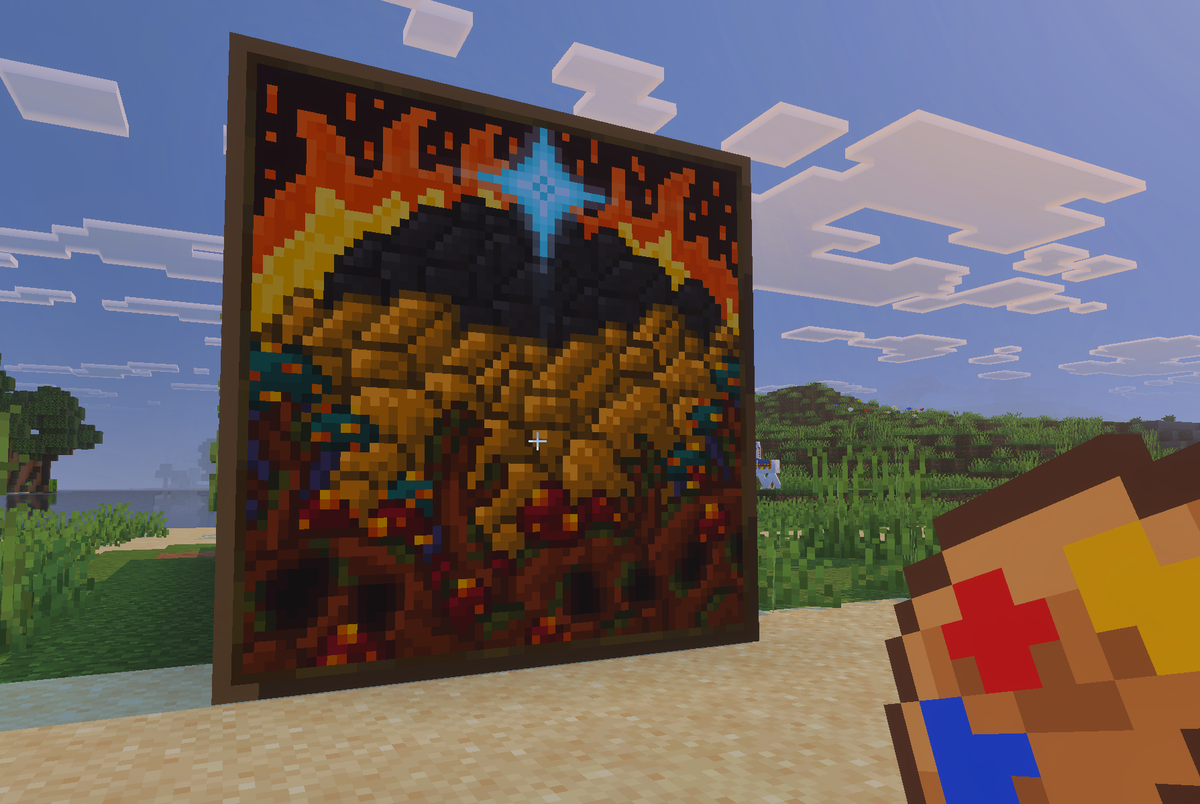
Actual Custom Paintings
Your pictures, hanging on your walls in Minecraft.