
Actual Custom Paintings
Your pictures, hanging on your walls in Minecraft.
Screenshots
Overview
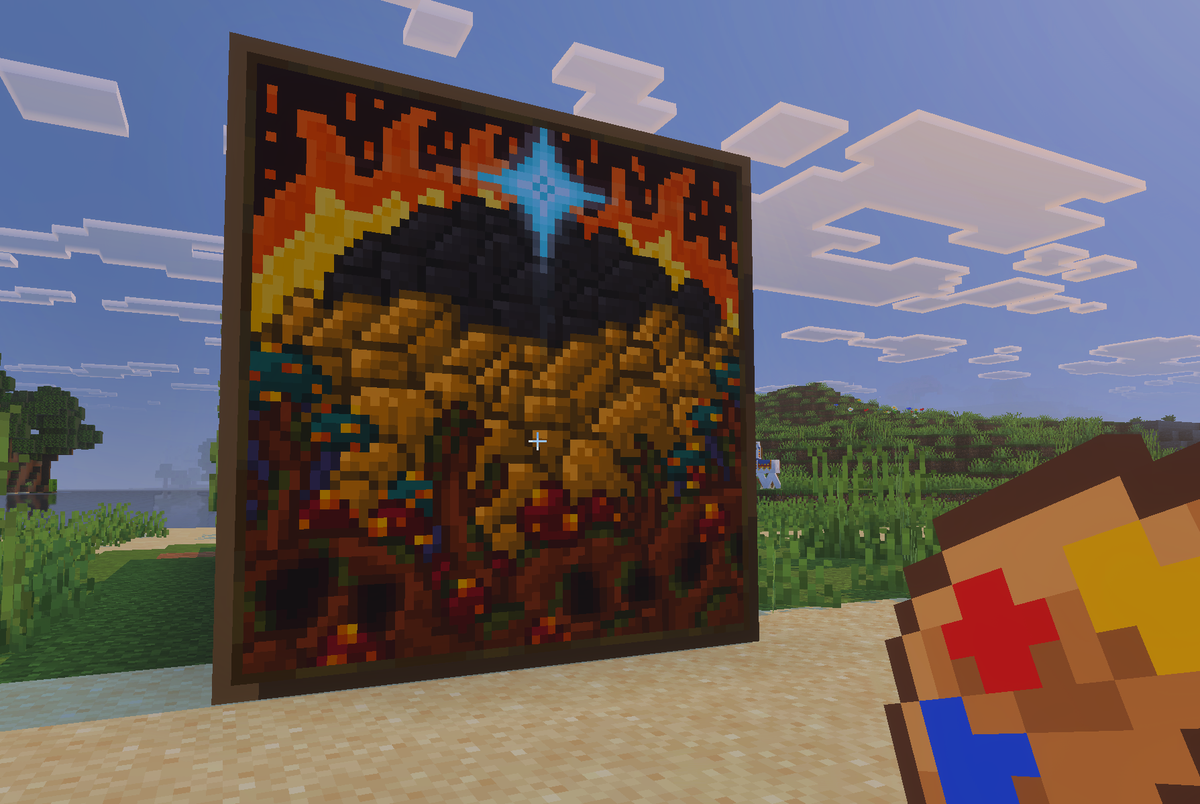
Your best screenshots. Your build-off winners. Your mate's legendary death. That meme from the group chat that nobody can explain. All of it, on the wall, in Minecraft.
Drop your pictures into the generator at paintings.mygen.co.uk, see them hanging at their real size on a preview wall, crop and resize them, and download your .mcaddon. It all runs in your browser, so your pictures never leave your computer.
In game, /paintings:gallery (or a crafted Paint Palette) opens a gallery where you can search, filter by size and get free copies of every painting. They hang like vanilla paintings, pop off when their wall goes, and can be protected so only the player who hung them can take them down.
Features
- Any PNG, JPG or WebP picture becomes a painting, in nine sizes from 1×1 to 4×4
- Up to 100 paintings of each size, 900 in one pack
- See-through cut-outs: leave the background clear and the picture goes straight onto the wall
- Build your pack in your browser at paintings.mygen.co.uk; your pictures are never uploaded
- In-game gallery with search and size filter, opened by /paintings:gallery or a craftable Paint Palette
- Hangs, breaks and pops off like a vanilla painting
- Protect Paintings, and a choice of who can get paintings: everyone, creative mode or operators
- Upload your pack back to the site to add, remove or change paintings at any time
- Stable Script API only: no experimental toggles, achievements stay on, Vibrant Visuals ready
How to install
- Build your own pack at paintings.mygen.co.uk, or download the sample pack.
- Open the .mcaddon file and Minecraft imports both packs.
- Create or edit a world and turn on "Actual Custom Paintings" under Behavior Packs; the resource pack switches on with it.
- Type /paintings:gallery, or craft a Paint Palette from any planks plus red, yellow and blue dye, and get your paintings.
Changelog
-
v1.0.3 Latest
Fixed
- No more duplicate paintings: punching a painting in survival gave you two, one in your inventory and one on the ground. Now it pops off as a single painting on the ground, just like a vanilla painting.
- No false "inventory full": getting a painting from the gallery no longer says your inventory is full when the painting went in fine.
Added
- Loaded message: the add-on now says "Loaded successfully!" in the content log when a world starts, so you can tell at a glance that it's running.
How to update
Upload your add-on to paintings.mygen.co.uk and download it again, then import it into Minecraft. Your paintings and settings carry over.
Works with Minecraft Bedrock 1.26.50+
-
v1.0.2
Added
- Trade in a painting: a new option in the generator. Turn it on and survival players swap a vanilla painting for each custom painting they take from the gallery, so paintings cost something. Creative players still get them free.
Changed
- Paintings have depth: framed paintings now stand out from the wall like vanilla paintings, with wood-grain edges all the way round. Unframed paintings get the same depth, with edges that match the picture. See-through paintings without a frame still sit flat on the wall.
- Sharper frames on big paintings: frames no longer get blurrier as paintings get bigger. Every size has the same thin border.
- No more shadows: paintings no longer cast a big dark shadow on the ground beneath them.
- Lighter on your world: the add-on no longer checks every painting once a second. Paintings still pop off straight away when the wall behind them is mined, blown up or pushed by a piston, or a block is placed in front of them.
How to update
Upload your add-on to paintings.mygen.co.uk and download it again, then import it into Minecraft. Your paintings and settings carry over, and paintings already on your walls update by themselves.
Minecraft keeps the old version installed next to the new one. That's normal, and you can delete the old one in Settings > Storage.
Works with Minecraft Bedrock 1.26.50+
-
v1.0.1
Added
- Frame on or off: every painting now has a Frame option in the generator. Untick it and the picture goes flat onto the wall with no wooden frame, whatever its background. See-through paintings still start without one.
- To change paintings you already have, upload your pack to paintings.mygen.co.uk, untick Frame on the ones you want, and download it again. No new add-on download is needed.
Works with Minecraft Bedrock 1.26.50+
-
v1.0.0
Initial Release
Turn your own pictures into real paintings you can hang in Minecraft Bedrock. Build your pack in your browser at paintings.mygen.co.uk, then grab your paintings in game.
- Any picture, nine sizes: PNG, JPG or WebP, from 1×1 up to 4×4 blocks. Up to 100 paintings of each size, 900 in one pack.
- See-through cut-outs: leave a picture's background transparent and it goes straight onto the wall with no frame, or pick a backing colour instead.
- The generator: drop in your pictures and see them hanging at their real size on a preview wall. Crop, zoom, rename and resize each one, choose the detail from 16 to 256 pixels per block, then download your
.mcaddon. It all runs in your browser, so your pictures are never uploaded. - The gallery: type
/paintings:galleryto browse every painting. Search by name, filter by size, and get as many free copies as you like. - Paint Palette: craft one from any planks plus red, yellow and blue dye, and use it to open the gallery. It can be switched off in the generator.
- Hangs like a vanilla painting: use it on a wall and it fits itself around the block you clicked. Punch it to get it back. It pops off if the wall behind it is mined, blown up or pushed away, or if something is built in front of it.
- Protect Paintings: an option that lets only the player who hung a painting (or an operator) take it down.
- Gallery access: choose whether everyone, creative-mode players or only operators can get paintings.
- Update your pack any time: upload it back to the site to add, remove or change paintings. Paintings already hanging in your world stay where they are.
- Packs made with the original Custom Paintings builder can be uploaded and updated the same way.
- Works with Vibrant Visuals and keeps achievements on. Uses only stable Script APIs, so no experimental toggles are needed.
- Needs Minecraft Bedrock 1.26.50 or newer. Works on Realms, servers, PC, mobile and console.
Based on Custom Paintings by PPTribalize, who built the original add-on.
Works with Minecraft Bedrock 1.26.50+
Keep exploring
More projects
Bedrock Holobuild
The hologram building add-on for Minecraft Bedrock: save any build, then build a copy anywhere, guided by holograms.


BedrockAdvancements
Every Java advancement on Bedrock, and a no-code creator for your own.

Bedrock Dynamic Lights
The most advanced dynamic lighting add-on ever made for Bedrock: hold it, drop it, throw it or set it alight, and it glows, in colour with Vibrant Visuals.