
MinecraftRender
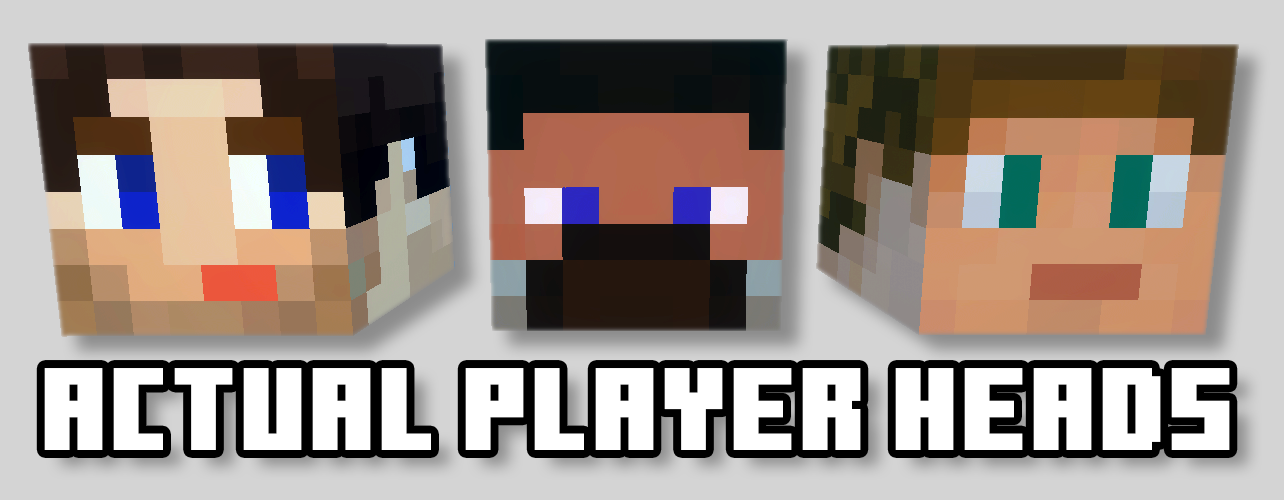
Pose characters, build scenes and render Minecraft in 3D in your browser.
Screenshots
Overview
MinecraftRender is a browser-based 3D scene studio and render API built for Minecraft creators. Load Java Edition skins, Bedrock players, or full Character Creator Persona models, then arrange multiple characters in one scene with bone-level posing controls.
Build out the shot with armor, capes, held items, blocks, mobs, scenery, skyboxes, and configurable lighting. Reusable pose presets speed up common compositions, while camera, scale, shadows, brightness, and environment controls make it possible to frame everything from clean profile renders to cinematic group scenes.
Finished scenes can be rendered as downloadable PNG images or saved behind a short share code. Shared scenes can be reopened with different gamertags, and creators can publish their work to the community gallery for other players to discover, like, and render.
Features
- Java and Bedrock players, including Character Creator outfits
- Every block, item and mob from Minecraft, plus 187 of the game's own buildings
- Pose any part, mirror and copy poses, or start from 45 ready-made poses
- Armour with trims and dyes, held items, capes and elytra, built the way the game draws them
- Minecraft's own sky: sun, moon, stars, clouds, rain, snow and thunderstorms
- Scenery, interiors and posing bases built from the game's blocks
- Torches, lanterns and lava that light up the players and builds around them
- Share a scene as a link, or as a picture you can put any player in
- Community gallery with likes, tags and your own shared scenes
Changelog
-
v1.1.2 Latest
Fixes
- Bedrock players wearing pieces the game colours to match their skin, such as elf ears, now show them in their own skin colour instead of orange
- Tools that use MinecraftRender, such as Player Heads' refresh button, can now fetch a player's new outfit straight away instead of up to a day later
-
v1.1.1
Fixes
- Depth of field now blurs the background right up to the edge of your characters and held items, instead of leaving a sharp outline around them
-
v1.1.0
Every block and item from Minecraft
- The Props picker now has every block and item in the latest version of Minecraft, each with its own icon
- Blocks keep their in-game options: turn stairs, open doors, light candles, grow crops and more, right from the prop's panel
- Hold any item or block in either hand, gripped just like in the game, including drawn bows, loaded crossbows, shields and tridents
- Bring in your own builds: upload a structure file saved from a structure block and it appears in your scene
Structures
- A new Structures tab in the Props picker with 187 buildings from the game: every village building in all five village types, ruined portals (including the giant ones), shipwrecks, ocean ruins, pillager outposts, the igloo, the desert well, the End ship and the ancient city centre
Armour, dyes and trims
- Armour is now the real in-game armour, fitted to the character the way the game wears it
- Add armour trims, with every pattern and material
- Pick any colour for leather armour and other dyeable items
Elytra
- Wear elytra, built the way the game draws them, from the Armour or Capes tab
- Like in the game, a player with a cape wears elytra in their cape's design, and the elytra replace the cape
- Fold or spread the wings, or pose each one yourself
Mobs and furniture
- Every mob with a spawn egg is in the picker, with posable parts
- Glowing mob parts glow: spider and enderman eyes, the blaze, glow squid, the warden and more
- Beds in every colour, every kind of chest (with lids that open), boats and chest boats, every painting, item frames, the armour stand, mob heads and particles
Adding players
- Type any Java or Bedrock name, no dot needed. If both editions have a player with that name, you'll see a picture of each and pick the one you want
- A clear message when no player has that name
Players and props
- The left panel is now three sections, Players, Props and Scene, and each can be folded away
- Hide a player or prop with the eye on its card: it stays in the scene, but isn't drawn
- Add a copy of a player with the + on their card, in the same pose and holding the same items
- Copies of the same prop share one card with a count; click it to see each copy
- Prop cards show the prop's icon and say who's holding it and in which hand
- A search box appears once a scene has more than eight props
- Browse Poses now sits with the other posing tools on the right
Posing
- Mirror a pose onto the other side: raise the right arm, press Mirror, and the left arm matches
- Flip a whole character's pose left to right
- Copy one player's pose to another player, or to everyone in the scene
- Parts have plain names like "Left arm" and "Front leg (upper)", on players and every mob
- Hold Shift while dragging to snap to neat steps
- Switch the handles between the part's own directions and the world's with the new axes button, or press X
- Parts start on the rotate tool, whole characters and props on the move tool, and the studio remembers if you change it
- The rotation boxes keep the numbers you type
- The reset button resets what your current tool changes: turn, position or size
Poses
- 28 new poses, 45 in all, in six groups: Everyday, Emotes, Combat, Action, Sitting & Lying and Fun
- Combat and item poses match how the game holds things: Bow Draw, Crossbow Aim, Shield Up, Trident Throw, Spyglass, Goat Horn and more
- Riding and Sleeping poses for mounts and beds, plus Flying, Elytra Glide, Meditate, Dab, Facepalm, T-Pose and others
- New pictures for every pose
Light and glow
- Torches, lanterns, glowstone, lava and other light sources light up the blocks around them, and the characters and mobs nearby
- Light sources glow softly, strongest at night and underground
- Blocks have the game's soft shading in corners and crevices
- Shadowed sides of characters and builds are no longer pitch black in renders
- Smoother, sharper edges on every render, and shadows that cover big builds properly
- Water is glossy and its surface slopes like in the game
Sky and weather
- A real Minecraft sky behind your scene: the sun, the moon, stars and drifting clouds, drawn the same way the game draws them
- The sky follows your sun: drag it low for a sunset glow, or below the horizon for night and stars
- Pick from Overworld skies (Plains, Desert, Snowy Plains, Pale Garden), all five Nether biomes, and the End
- Rain, snow and thunderstorms for Overworld skies
- Distant scenery fades into the sky, as it does in the game
- Clouds now stretch out to the horizon, so they show in ordinary shots, not just when looking up
Scenery
- Nine new bases: small floating platforms with a flat top to pose on, in grass, stone, wood, quartz, sand, snow, crimson nylium, End stone and a checkerboard
- Nine new outdoor scenes: Meadow, Cherry Grove, Desert Oasis, Snowy Taiga, Ruined Portal, Shipwreck Beach, Crimson Forest, Warped Forest and End Island
- Five new interiors: a Cosy Cabin with furniture, a Dripstone Cave, a Lush Cave, a Stronghold Portal Room and a Trial Chamber
- Picking a scene also picks the sky and lighting it was made for, unless you've already chosen your own
- Scenery is built from the game's own blocks, so it matches everything else in your scene
Lighting presets
- Each preset now sets where the sun sits. Sunset is a low sun from the side with long shadows
- New Cave preset: darkness lit only by torches, lanterns and lava
- New Indoor preset: soft, warm light for interiors
- Studio has been merged into Default, which looked the same
- New preview pictures for every preset
Depth of field
- Pick what to keep sharp: a player's face, or any spot you click
- One Blur slider instead of three
- The 3D view shows the blur at every quality setting
- Renders with depth of field keep their true colours (they used to look washed out)
Undo, sharing and the gallery
- Undo now covers everything: bring back a deleted player or prop, or undo starting a new scene or opening another one
- New scene no longer asks first; undo it from the message instead
- Problems now pop up where you'll see them, instead of in small text in the corner
- Share shows a preview, and a picture link with a box for each player: type any Java or Bedrock name and it adds the Bedrock dot for you
- Studio links open with the same players you shared, not a stand-in
- Changed a scene you shared? Update the existing link, so everywhere it's posted shows the new version, or make a new one
- Gallery → My scenes: see the scenes you've shared, rename them, add them to or take them out of the gallery
- Click a gallery scene to see it bigger before opening it, or open it with your own player
- Click a tag to see every scene with it, and report a scene that shouldn't be there
- "Most liked" sorting in the gallery works
- Open accepts a full link as well as a code, and lists your recent scenes
- Scenes of just props or a build can be saved and shared
- New, Open and Save are in a File menu, and the ? button is a Help menu with keyboard shortcuts (press ? any time) and What's new
- Settings are simpler
Smaller touches
- Double-click any slider to put it back where it started
- The key light says it follows the sun
Speed
- Players you've used before load faster, even after a server restart
- Scenes render faster, with scenery kept ready between renders
Help
- New help pages, one for each topic, with fresh pictures of everything above
-
v1.0.5
Templates
- Template render URLs can end in
.pngor.webp, so they show as images in Discord and other apps that look for a file extension - New "Hide bones not in this list" option under a character's bone list — parts that only exist on other players' models (Persona armor, belts, capes) stay hidden when your template is rendered with a different gamertag
- Bone hide lists can hold up to 256 entries
Sharing & gallery
- Only the browser that shared a scene can add it to the gallery or change its name, description and tags
- Gallery tiles and link previews for shared scenes are generated more reliably
Uploads
- Scenes with larger uploaded props can now be rendered and shared (up to 16 MB)
- Clearer messages when a scene is too large or the renderer is busy
Items
- Torch and soul torch flame thumbnails, and new icons for the heart and growing particles
- Template render URLs can end in
-
v1.0.4
Added
- Gallery likes with a heart button on every scene and a new Most Liked sort option
- A scale slider for resizing the selected item or bone equally on every axis
- Hundreds of block thumbnails, including stairs, walls, terracotta, coral, and wool variants
Improved
- Reorganized the item library so related materials are grouped together and names read naturally
Works with Modern desktop and mobile web browsers
-
v1.0.3
Added ten skyboxes, Cherry Blossom and Overworld scenery, translucent scenery water, and a draggable sun widget for adjusting lighting without moving the camera.
Works with Modern desktop and mobile web browsers
-
v1.0.2
Added the public Scene Gallery, a combined Environment editor, draggable popup windows, and a Focus control. Improved scene lighting, shadows, and render resolution accuracy.
Works with Modern desktop and mobile web browsers
-
v1.0.1
Added complete armor sets, prop and mob visibility controls, improved lighting, a cape library, HD skin uploads, and support for scenes containing up to 128 items.
Works with Modern desktop and mobile web browsers
-
v1.0.0
Initial public release of MinecraftRender Studio with 3D character posing, props, pose presets, shareable scenes, configurable lighting, and per-light shadow controls.
Works with Modern desktop and mobile web browsers
Keep exploring