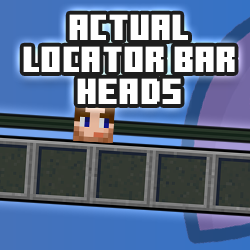
Actual Locator Bar Heads
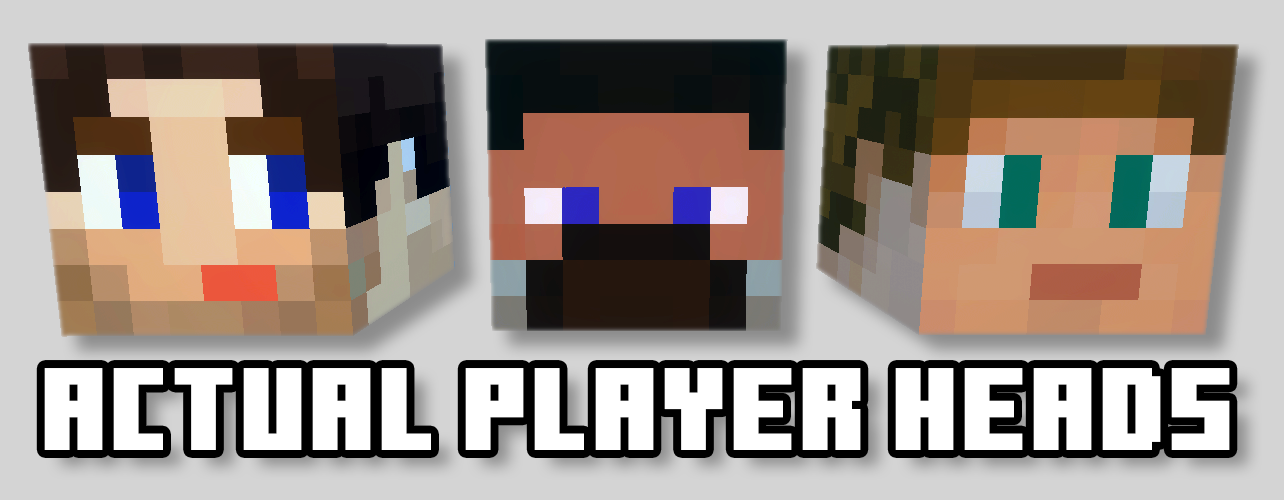
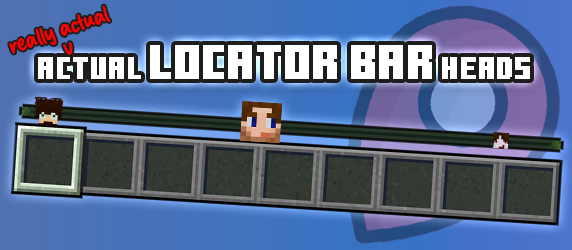
Every locator bar dot becomes that player's head.
Screenshots
Overview
You know the locator bar: the thin strip above your hotbar with coloured dots that tell you someone is over there. Could be your best mate. Could be the person who griefed your sheep farm. A dot is a dot.
Actual Locator Bar Heads replaces every one of those dots with the player's own face: their skin, their Character Creator character, their questionable haircut. Glance up and you know exactly who's coming. Someone standing next to you gets a full-size head; someone 300 blocks away mining diamonds without you shrinks to a tiny one.
Build it in your browser
At locatorbar.mygen.co.uk you type in gamertags, one at a time or a whole list at once, and watch your friends appear on a real in-game locator bar preview. Pick what strangers look like, how heads shrink and who stays visible, then download your .mcaddon. No coding, no file editing. Heads come straight from minecraftrender.com and the pack is built right on the page, so only gamertags ever leave your browser.
Already made an Actual Player Heads pack? Drop it on the page and it pulls the whole player list across, so you don't type a thing. Upload one of your locator packs later to add or remove players, or refresh every head in one click when someone changes their skin again. It updates in place, so there's no need to remove the old one first.
Only the host needs it
Everything runs on whoever's hosting, or on the Realm. Nobody else installs anything: they join and they see faces. It turns the vanilla dots off for you, needs no experimental toggles, and every player can choose how their own bar looks with one command.
Features
- Every locator bar dot becomes that player's head, from their skin or Character Creator character
- Heads shrink with distance: four sizes over a range you set (256 blocks by default), or switch it off
- Players not in your pack show Steve, Alex or a plain dot: your choice
- The vanilla dots are switched off automatically, so there's no face-and-dot double-up
- Sneaking, invisible, dead and spectating players are hidden like vanilla by default; each is a toggle
- Every player picks their own bar with
/phlb:heads on,dotsoroff: no cheats needed, and remembered - Only the host or Realm installs it; everyone who joins sees the heads
- Build your pack from gamertags at locatorbar.mygen.co.uk, with a live locator bar preview
- Import your Actual Player Heads pack and skip the typing
- Upload a pack later to add or remove players, or refresh every head in one click
- Upload a 64×64 skin file for anyone the render service can't find
- Minecraft Bedrock 1.26.40 or newer, no experimental toggles
How to install
- Build your pack at locatorbar.mygen.co.uk and download the
.mcaddon. - Open it, and Minecraft imports it automatically.
- Create or edit a world, go to Behavior Packs and turn it on. The resource pack switches itself on with it.
- Get another player into your world: a locator bar with one person on it is just a bar.
- Look up.
Changelog
-
v2.0.1 Latest
New
- A fresh new website. locatorbar.mygen.co.uk has a new look, matching mygen.co.uk.
- Everything happens in your browser now. Heads come straight from minecraftrender.com and your pack is built right on the page, so it's quicker and there's nothing to wait on.
Notes
- The add-on itself works exactly as before. Packs built from now on are version 2.0.1; there's no need to rebuild an existing pack.
- Can't find a player? Point them at BedrockGo.com: one quick join and they'll show up.
-
v2.0.0
Initial Release
- Every player shows on everyone else's locator bar as their own head, rendered from their current skin or Character Creator character
- Players not in your pack show as Steve, Alex or a plain dot, your choice
- Heads shrink with distance in four steps over a range you set (default 256 blocks), or stay full size
- Vanilla locator dots are switched off automatically so heads don't double up
- Sneaking, invisible and dead players and spectators are hidden like vanilla by default, and each can be shown instead
- /phlb:heads on, dots or off lets each player choose what their own bar shows, with no cheats needed
- Runs entirely on the host or realm, so nobody else needs to install anything
The generator at locatorbar.mygen.co.uk
- Add players by gamertag, one at a time or a whole list at once
- Upload a 64x64 skin PNG for anyone the render service can't find
- Import the player list straight from an Actual Player Heads pack
- Upload an existing pack to add or remove players, refresh every head, and re-download as an in-place update
- Live preview on a real in-game HUD as you build
Notes
- Requires Minecraft Bedrock 1.26.40 or newer; no experimental toggles are required
- A ready-made sample pack is also available on CurseForge: https://www.curseforge.com/minecraft-bedrock/addons/actual-locator-bar-heads
Works with Minecraft Bedrock 1.26.40+
Keep exploring