
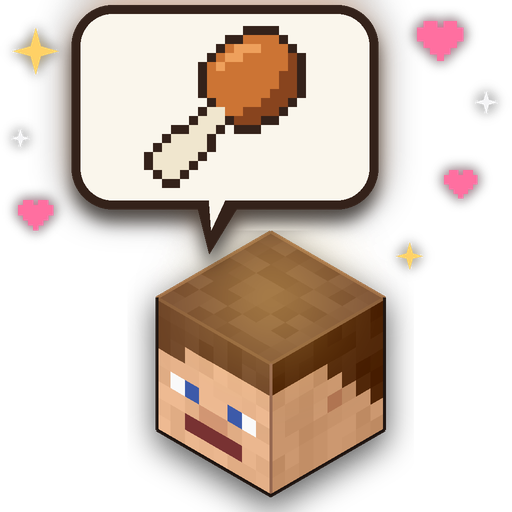
Feed Your Friends
Your friends are starving and you've got a pocket full of steak — what are you going to do about it? Feed Your Friends is a Minecraft Bedrock Edition addon that lets you share food with other players just by looking at them and using a food item. No more dropping items on the floor and hoping they pick it up!
How It Works
Hold any food item, look at another player, and use the item (right-click / tap). Instead of stuffing your own face, you'll feed it directly to the player you're looking at. They get the hunger, saturation, and any effects — just as if they ate it themselves. Simple as that!
Features
- Share any food with another player — cooked meats, crops, soups, stews, golden foods, you name it
- Full vanilla effects — golden apples grant regeneration and absorption, rotten flesh might give hunger, pufferfish... well, maybe don't feed those to your friends
- Bowls and bottles come back — feeding someone mushroom stew? You get your bowl back. Honey bottle? Glass bottle returned. No waste!
- Milk bucket clears all effects from the recipient — great for saving a poisoned friend
- Honey bottle clears poison — a sweeter remedy
- Chorus fruit teleports the recipient to a random nearby location — for when your friend needs a surprise relocation
- Suspicious stew applies the correct effect based on the flower used to craft it — for better or worse
- Hunger indicators appear above player nametags so you can see who needs feeding:
- No icon = fully fed and happy
- Full food icon = getting a bit peckish
- Half food icon = properly hungry
- Empty food icon = starving — feed them immediately!
- Icons change appearance when the player has the hunger effect
- Eating and drinking sounds play from the recipient so everyone nearby knows dinner is served
- Cooldown between feeds matches vanilla eating speed — no speed-feeding allowed
- Works with modded food — any custom food item from other addons with a data-driven food component is automatically supported
- Share potions — hand a friend a Potion of Healing mid-fight (drinkable potions only; a water bottle puts out a friend who's on fire)
- Who's hungry? —
/feedyourfriendslists everyone's hunger bar, distance and direction, updating live - Ask for food — tell everyone you're hungry and a food bubble appears over your head; it also shows on its own when you're low on food
- Your choice — accept food from everyone, safe food only (no poison, chorus teleports or milk), or nobody
- Particles — crumbs, food flying to your friend, hearts, golden sparkles, poison bubbles, chorus swirls and more
- World settings for operators — feeding range, and turn harmful food, chorus fruit, milk, potions, name tag icons, the hungry bubble and particles on or off
How to Install
- Download the
.mcaddonfile - Double-click it to open with Minecraft
- Create or edit a world and add Feed Your Friends under Behavior Packs
- The resource pack will be applied automatically
That's it — get in there and start feeding your friends!
Usage Tips
- You need to be within 6 blocks of the other player (operators can change this) and looking directly at them
- If the other player's hunger is already full, you'll be told they aren't hungry and keep your food
- Want to eat your own food while looking at someone? Turn on Only feed others while sneaking in
/feedyourfriends→ My settings - Foods marked as "always edible" (golden apples, chorus fruit, honey bottles, milk) can be fed even when the recipient is full
- The addon works with all vanilla food items and will also recognise custom food items from other addons that use the data-driven food component — their hunger, saturation, always-edible flag, and container items (e.g. a custom drink that returns a bottle) are all picked up automatically
Requirements
- Minecraft Bedrock Edition 1.26.50 or later
Credits
Created by Rob 'myGen' Hall
www.myGen.co.uk
Inspired by Let Your Friend Eating! for Java Edition by TamKingZ.
Licensed under CC BY-NC-SA 4.0